
Step 1: Connect the ANPR Guardian hub to your router / switch that is connected to the ANPR Camera & an internet connection.
Step 2: Go to the Engineer M8 Portal here www.em8portal.com > Login using your login credentials.
Step 3: Click Services > ANPR Guardian > Select the site name you would like to setup > Then click the pencil icon on the right hand side. 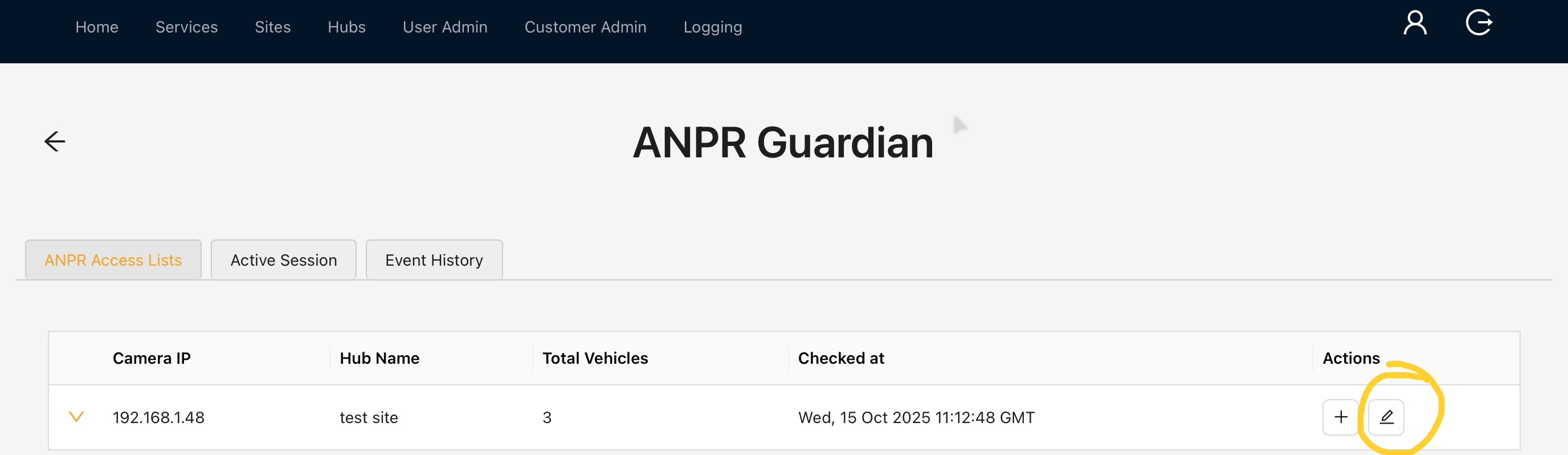
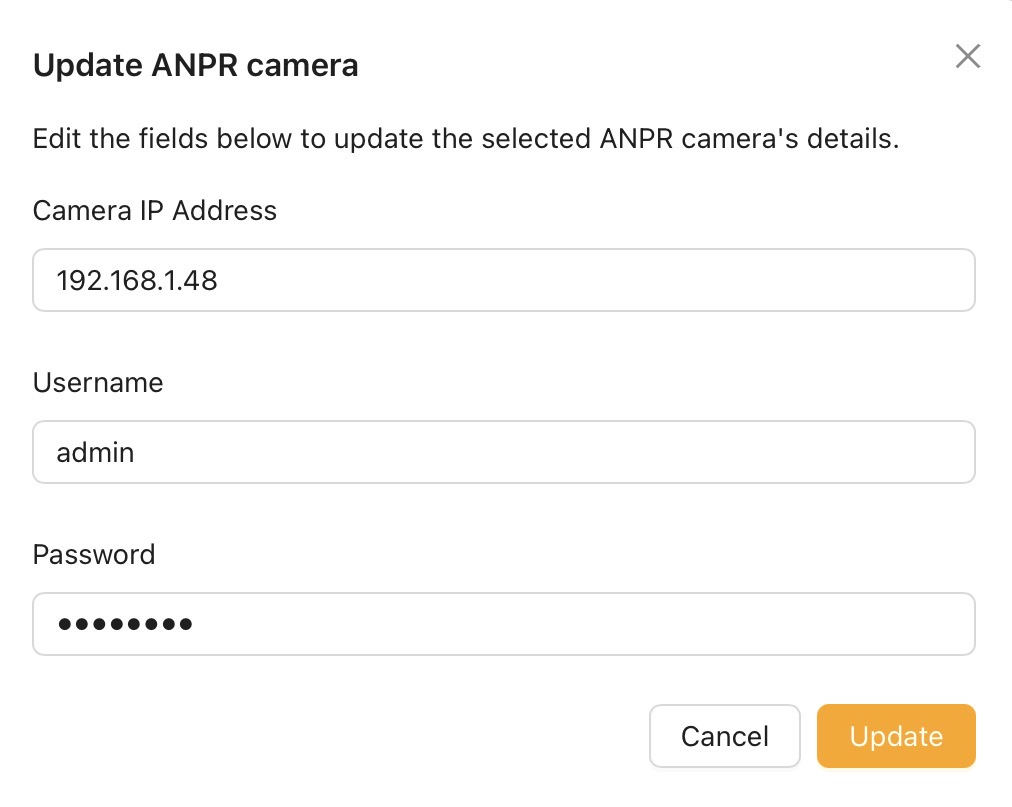
Step 4: Enter the ANPR Cameras details - IP Address, user name and password > Then click update.
Please Note - It is recommended to set the ANPR camera to a static IP address, if you fail to do this and the IP of the camera changes this will effect the ANPR Guardian and would cause it to stop working.
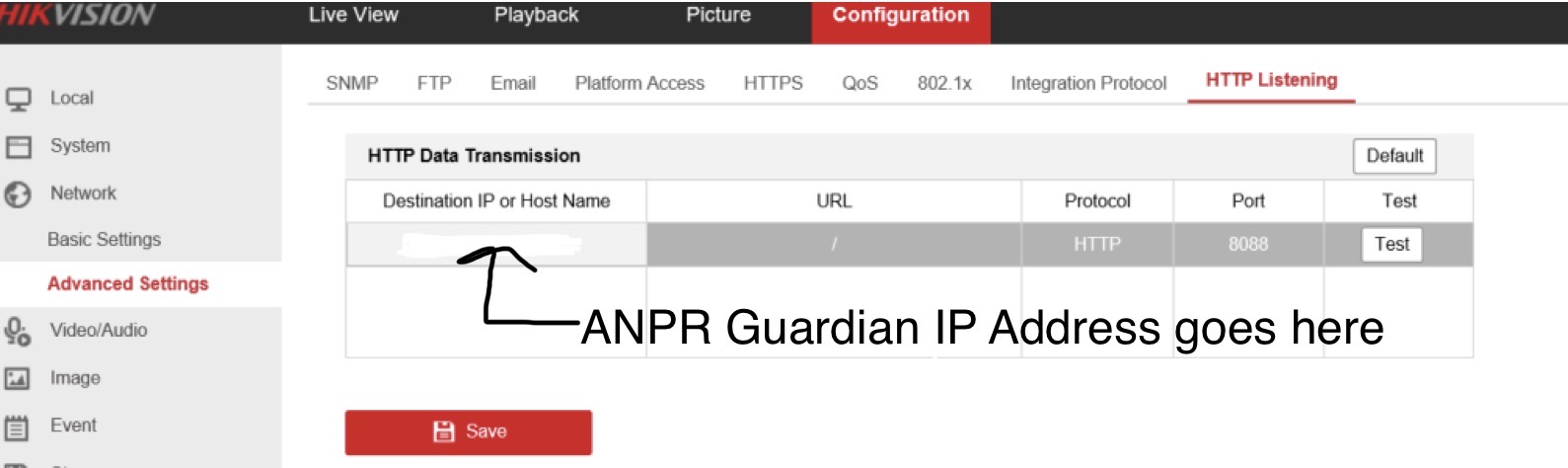
Step 5: Login to the device via web browser and configure the HTTP Listening page. Head to Configuration > Network > Advanced Settings > HTTP Listening. (This is sometimes called Alarm Server)
Destination IP or Host Name - This is the IP address you set for the ANPR Guardian in step 1
URL - /anpr_event
Protocol - HTTP
Port - 5001
Once all these details are entered click save. Once saved click test to make sure it can connect to the ANPR Guardian Hub.
Your ANPR Guardian device is now setup.